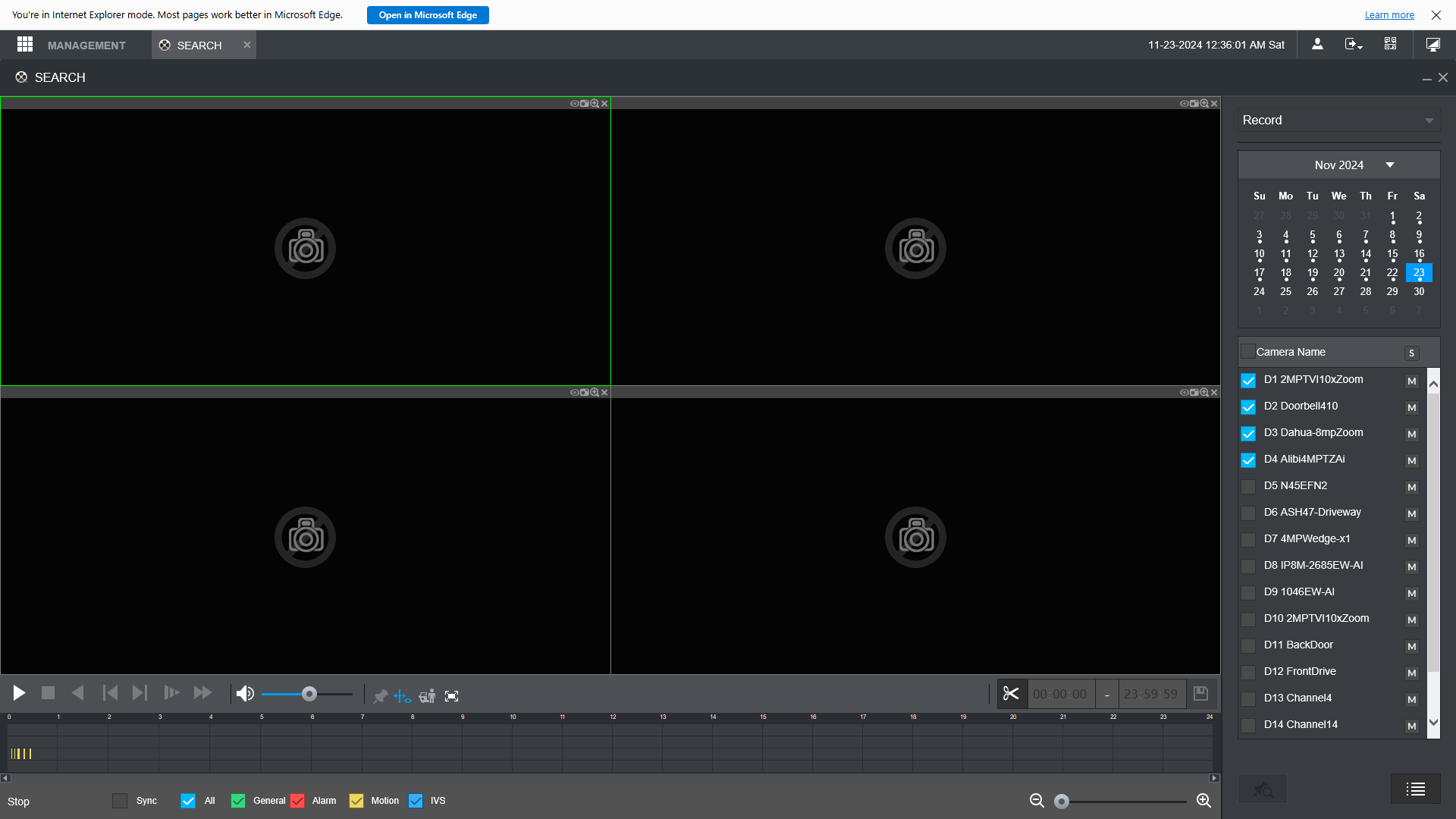
This is an old issue that I cannot solve. I have been trying to learn how to use my 4108 NVR to playback video. The first screen shot shows what I get with a stock Edge browser. I have a good video that I picked from a list of cameras on the 4108 that shows on the lower right side.
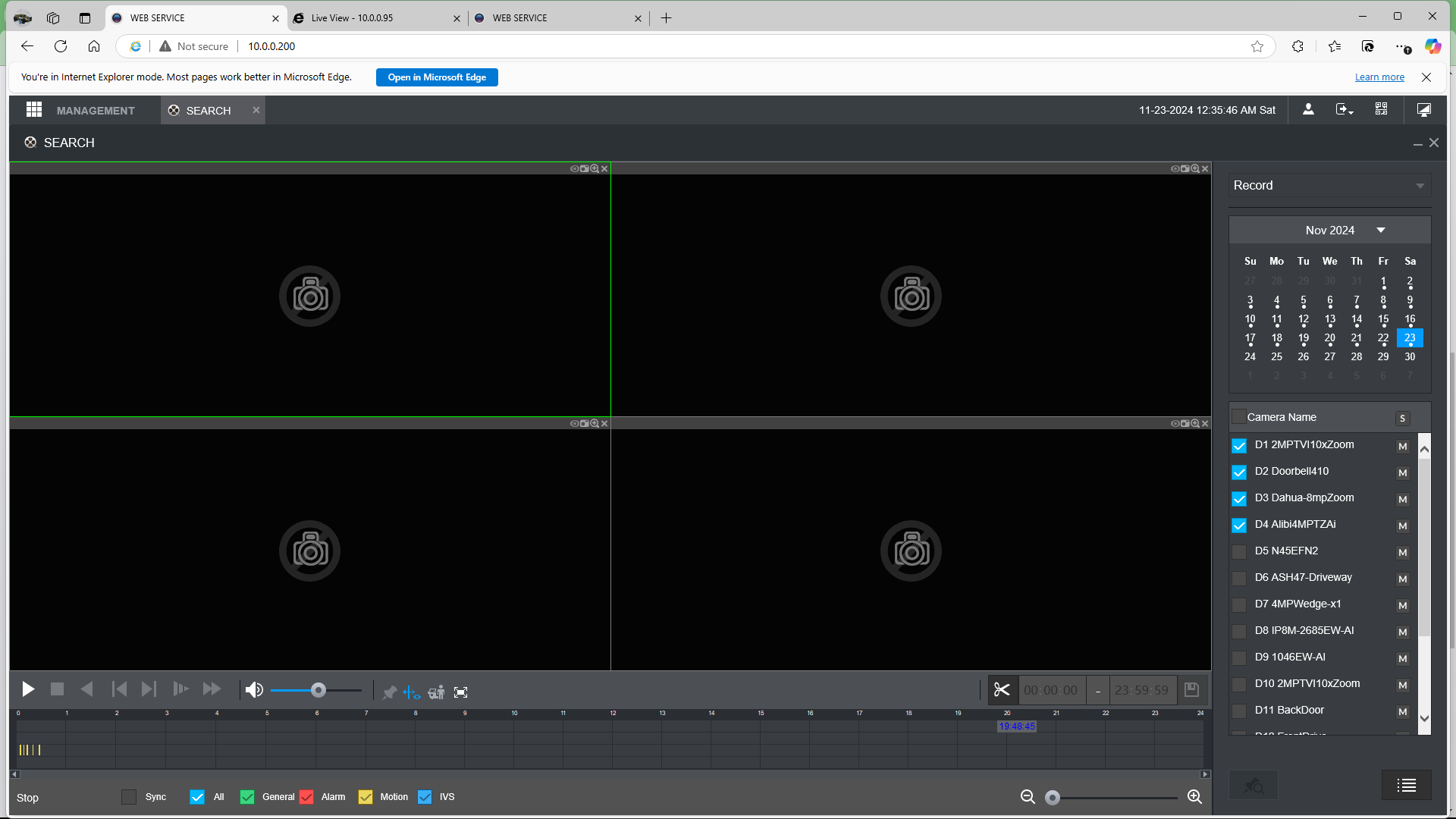
In an attempt to get better functionally, I added IE Tab to the Edge extensions and added the 4108 IP address for the IE Tab to take over. A screen shot of the result is shown below.
As you can see, the functions for playback are very much improved. BUT, there are no cameras listed on the lower right side, and the first four cameras are shown in the playback area. There is no way to pick any of the other cameras for playback. Any advice will be appreciated.
Just a last minute edit, my computer is an HP x360 Spectre running Windows 10. Also, in the first screen shot there are 6 cameras in the list.
Regards, Jim
Remaining Issue
Re: Remaining Issue
Disable the extension. Paste in the Edge address bar and hit return. In the right-hand side, enable "Allow sites to be reloaded in Internet Explorer mode (IE mode)". Add the URL of your NVR to "Internet Explorer mode pages" list. Restart Edge and open your NVR's Web UI.
Code: Select all
edge://settings/defaultBrowserRe: Remaining Issue
Hate to mention it but it seems that your browser is kind of small? Are you using a Laptop or is your HP a Desktop that is using a small display? X360 almost sounds like one of them laptops with rotating or detachable display.
Why I ask is that a good few years ago now my wife used to use a small laptop in fact we had 4 in the house. Every time she would have some display issue was because her display was to small..
I would look to see if maybe you could make your display larger. I mean in software I know you can't make your screen hardware larger, Or maybe try F11 and see if that full display will give you little more room to see some cameras. Looking at your picture with the 4 cameras I can see CAM Name with a Check box, It then looks like the list pull down is at the bottom like you could pull from right to left yet that should be from top and able to pull down? That might be just the top of the pull down and just the way it looks in the image like it would go from right to left..
You can also get little more from your display by auto hiding your lower bar. Won't give you much room, that with F11 should give you some extra display room to see your list of cameras..
My task bar has been auto hide for long time, You can see in my 2 pictures below in a 1080 display what it would look like with bottom bar gone and in the second picture is after I pressed F11.. Something to try.
To see images full sized, right click and open in new tab.
Why I ask is that a good few years ago now my wife used to use a small laptop in fact we had 4 in the house. Every time she would have some display issue was because her display was to small..
I would look to see if maybe you could make your display larger. I mean in software I know you can't make your screen hardware larger, Or maybe try F11 and see if that full display will give you little more room to see some cameras. Looking at your picture with the 4 cameras I can see CAM Name with a Check box, It then looks like the list pull down is at the bottom like you could pull from right to left yet that should be from top and able to pull down? That might be just the top of the pull down and just the way it looks in the image like it would go from right to left..
You can also get little more from your display by auto hiding your lower bar. Won't give you much room, that with F11 should give you some extra display room to see your list of cameras..
My task bar has been auto hide for long time, You can see in my 2 pictures below in a 1080 display what it would look like with bottom bar gone and in the second picture is after I pressed F11.. Something to try.
To see images full sized, right click and open in new tab.
Be Safe.
Re: Remaining Issue
Also if you click the X on the right saying that you are in IE mode, You don't need that up you can see after I do that to mine and with bar and F11 that I get yet another camera in my playback list.. I asked my wife, she don't remember but she did say that when looking with one of the older laptops I was talking about at WebUI the display was all messed up and could see the 4 box display but the area on the right was kind of trying to piggyback the grid display.. So she never really looked at the WebUI much. Keep in mind these laptops was from 8 or 10 years ago..
Be Safe.
Re: Remaining Issue
Then looking at your first picture it does seem that you are in 1080 format, Might be that your in a Zoomed in view.. I don't remember how to do it the old way seeing life with scroll wheel has become so much easier.. But I would Press the CTRL bottom left of your keyboard, then scroll down with the mouse to move your display back It will only go as far back as 100% if you do it on the grid area nothing will happen you will want to do it while the mouse is on the search area of the window..
I have picture here where I zoomed mine in to look like your window.. Also just looked, If you click the 3 dots top right that will drop down list and show what you have your browser window zoomed into, I move it back to 100% to see if that will give you your list of cameras.. Just easier for me to press CTRL and scroll the wheel of my mouse..
Be Safe.
Re: Remaining Issue
Hi Revo,
I decreased the zoom to 90 % and the problem is solved!! Amazing!!
My HP laptop has a 13 inch screen with 1920 x 1080 resolution. The display is a little small but serves me just fine, until this issue turned up.
Anyway, many thanks for your help on this issue.
Best regards, Jim
I decreased the zoom to 90 % and the problem is solved!! Amazing!!
My HP laptop has a 13 inch screen with 1920 x 1080 resolution. The display is a little small but serves me just fine, until this issue turned up.
Anyway, many thanks for your help on this issue.
Best regards, Jim