At some point in the last few months I encountered an issue where I could not access my Amcrest IPM-721S cameras remotely; I would receive the error "Resources are limited; failed to play video stream." This is with HTTP,
not HTTPS. I attempted a number of reconfiguration options on the cameras' settings, but none had any effect.
I also temporarily turned off Kaspersky AV 2017 temporarily, but the results were the same.
In the end, the solution was to add an exception for C:\Program Files\webrec\Torch\3.0.0.3\WebActiveX.exe with the following settings:
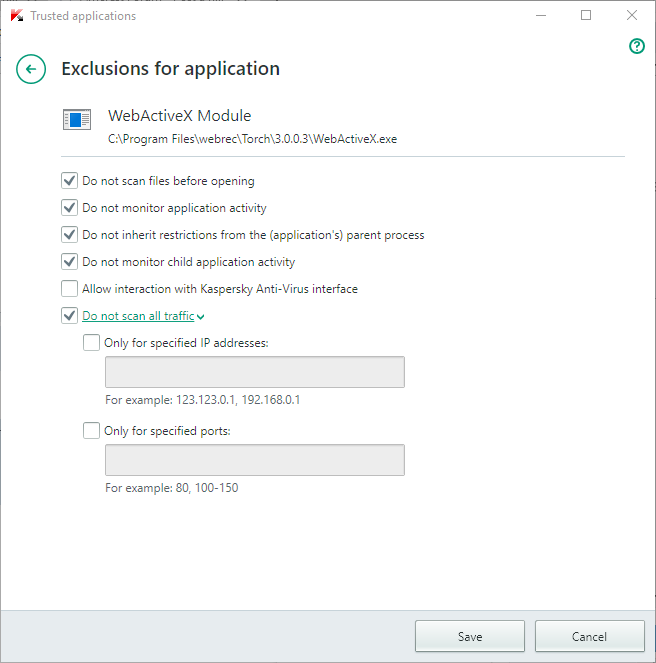
- KasperksySettingsWebActiveX.png (25.2 KiB) Viewed 966 times
If this is a repeat post, my apologies. I performed a search and did not find any relevant matches.
