FTP not working (Netgear router with USB drive)
Posted: Sat Dec 05, 2015 12:55 pm
I have 4 new IP cameras (IP2M-841) that I am setting up. Here is the info on one of them:
Software Version 2.420.AC00.8.R, build : 2015-10-16
WEB Version 3.2.1.300608
ONVIF Version 2.4.1
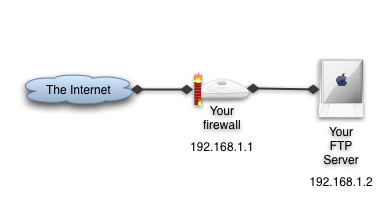
I want to use FTP protocol to USB storage for video and snapshots. The FTP server is on the same private subnet as my cameras (all on WiFi - 192.168.1.XXX).
I also have Foscam cameras and can post files without any issues to this same FTP host (same address, login and directory), so I know the FTP server is functioning. I have tried using the default (blank) directory path and also a sub directory. I have tried relative pathnames ("webcams") and absolute names ("/shares/webcams").
I set the camera storage schedule for "general" snapshots all day with 1 sec intervals to capture snapshots. I have rebooted the camera twice.
The FTP server comes with my Netgear Nighthawk AC1900, connecting a "My Book 4T" external drive via USB 3.0. I have tried to do this with and without password protection.
I do not get any file transfers nor any error messages.
I sent this question to the Amcrest support 6 days ago (ticket #27460), but no response from them so wondering if other users might be able to offer any suggestions...
Thanks!
Software Version 2.420.AC00.8.R, build : 2015-10-16
WEB Version 3.2.1.300608
ONVIF Version 2.4.1
I want to use FTP protocol to USB storage for video and snapshots. The FTP server is on the same private subnet as my cameras (all on WiFi - 192.168.1.XXX).
I also have Foscam cameras and can post files without any issues to this same FTP host (same address, login and directory), so I know the FTP server is functioning. I have tried using the default (blank) directory path and also a sub directory. I have tried relative pathnames ("webcams") and absolute names ("/shares/webcams").
I set the camera storage schedule for "general" snapshots all day with 1 sec intervals to capture snapshots. I have rebooted the camera twice.
The FTP server comes with my Netgear Nighthawk AC1900, connecting a "My Book 4T" external drive via USB 3.0. I have tried to do this with and without password protection.
I do not get any file transfers nor any error messages.
I sent this question to the Amcrest support 6 days ago (ticket #27460), but no response from them so wondering if other users might be able to offer any suggestions...
Thanks!